
Camera Projection
This tool, inspired by camera projection in Nuke, addresses the lack of a similar feature in Unreal Engine.The Camera Projection Tool for Unreal Engine offers a powerful, streamlined way to create highly realistic environments through texture projection.
-
 Unreal Engine Blueprints
 - Unreal Engine Material Layers System
-
 C++
C++ -
 Nuke
Nuke

What it does
For 2.5D and DMP-heavy environments, it can be very useful to have 'live' camera projections inside UE5, rather than having to bake to UV textures. Camera projections have the efficient attribute of increasing texel density near their projection point automatically, which UV bakes do not (at least not without significant work).
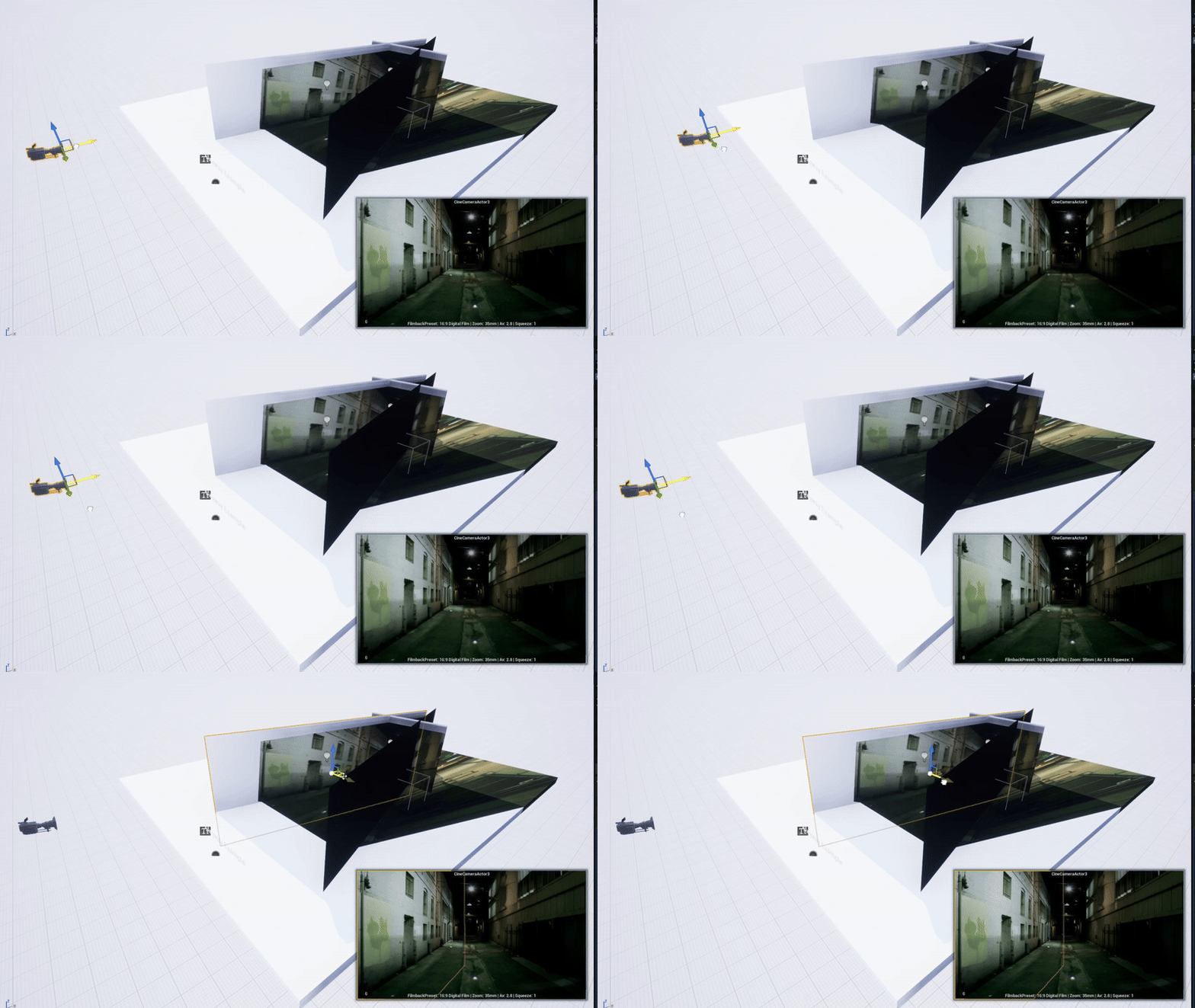
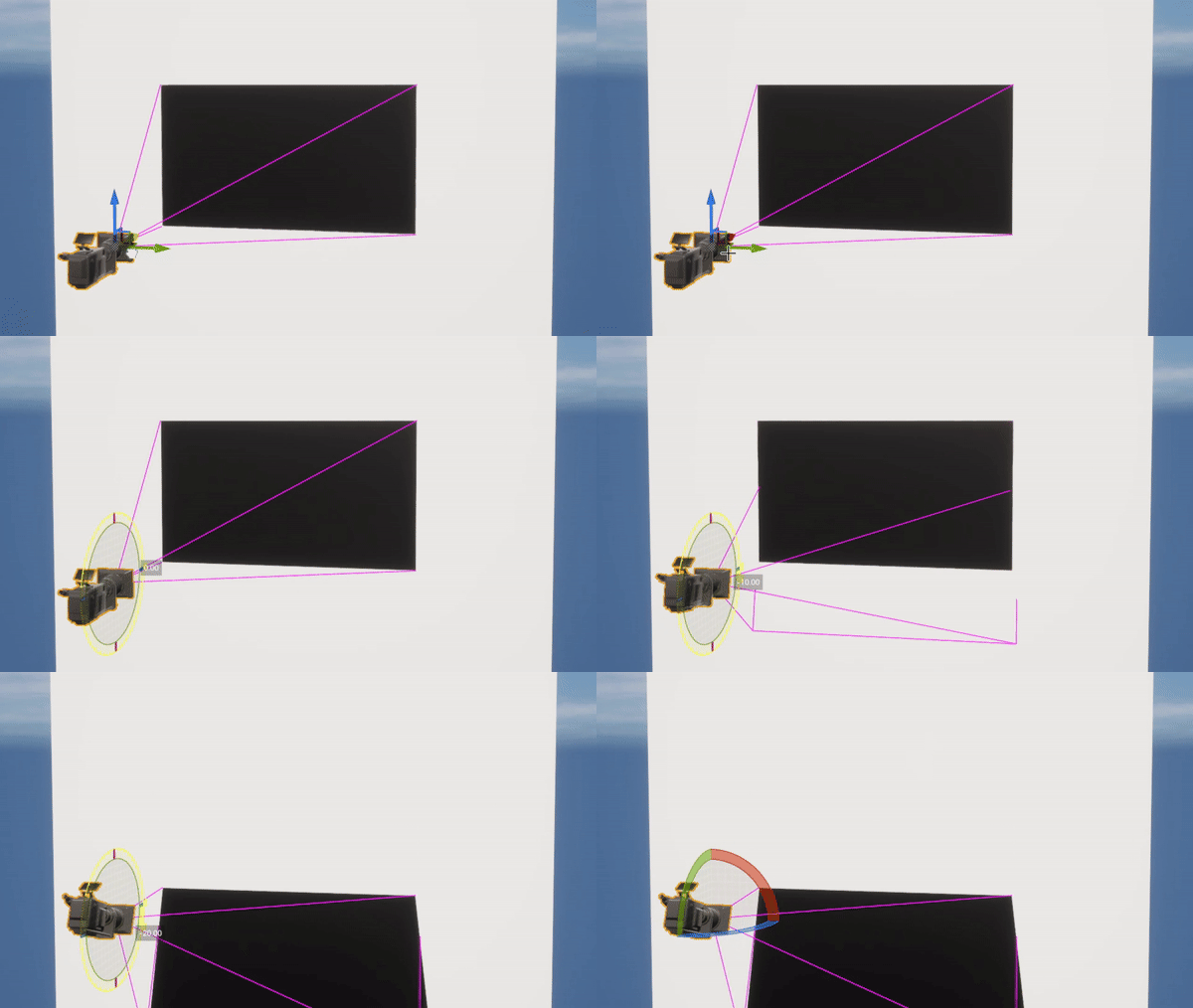
This tool was developed to replicate a complex Nuke setup. In camera projection workflows, it’s often essential to exclude certain objects from receiving projected textures—a feature that Unreal's decals currently lack. Disabling decals on an Unreal actor prevents that actor from receiving any projected textures, making this tool a necessary workaround for more flexible and selective projection setups.
Real-Time Projection with Automated Layered Materials

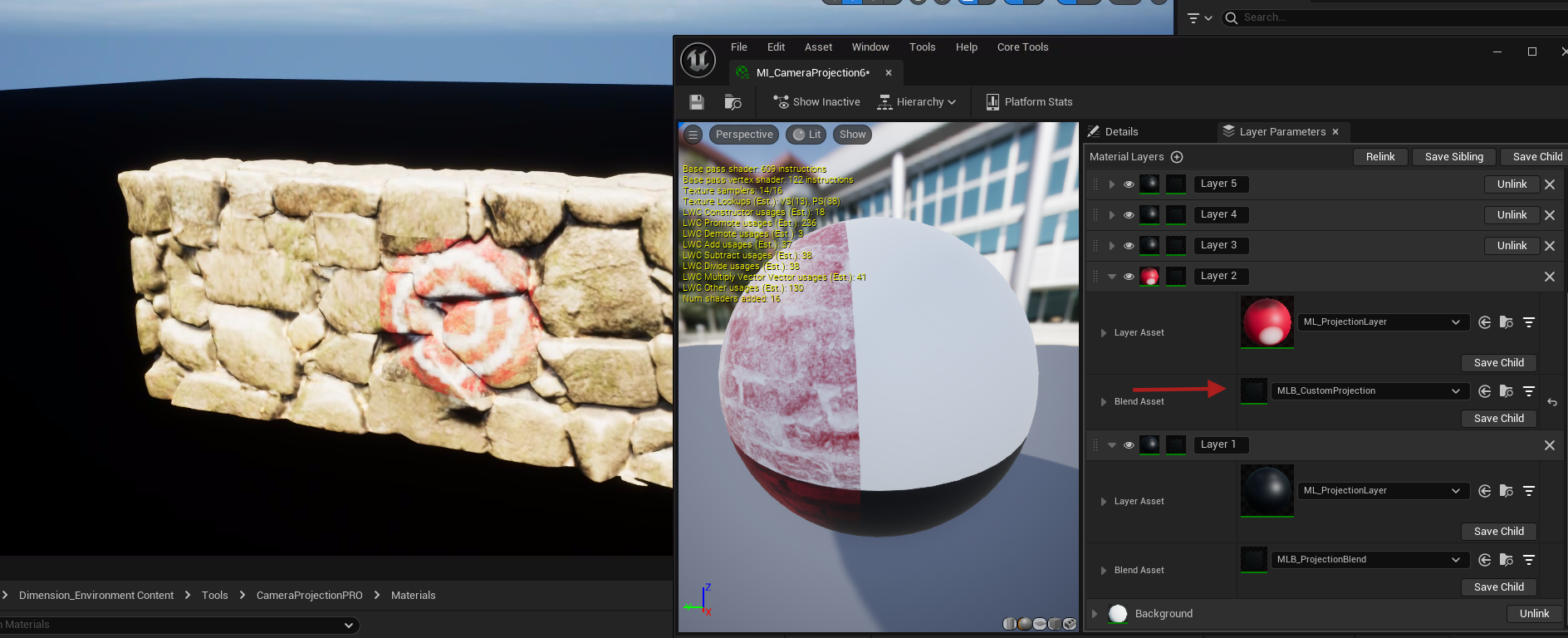
The tool utilizes a custom blueprint, cpp functions and layered materials to automate the projection setup and is in realtime. Simply by drag and drop the projection actor it into the level and it automatically generates dynamic layered materials, each layer representing an individual camera’s projection. This layered approach adds realism and simplifies material management and a ability to change blending between projection layers.
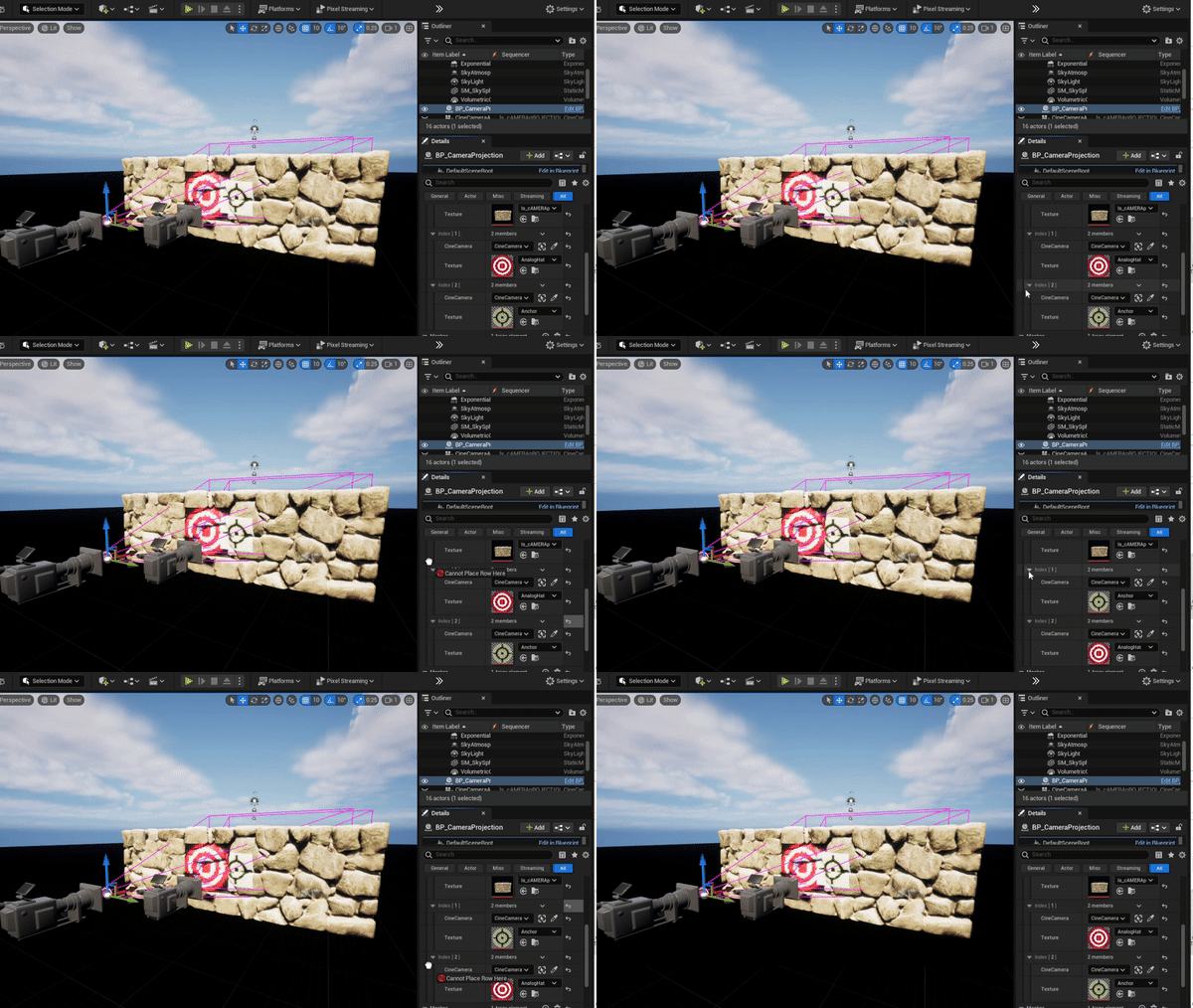
How it Works
A dynamic layered material is created for each projection and reads the requierd values from camrera movement and FOV change realtime to calcute the projection world position. Since controlling Dynamic materialls is pretty limited in unreal engine blueprints, a function libarary was created for this tool in cpp to inititalize, manage, save and the dynamic materials.
Projection world position in the material is calculated real time based on camra distance and FOV.